
Start every shift with a clear view of your workSee campaign availability and interaction activity from the moment you log in. Agents can select the campaigns they are ready to handle and indicate their readiness to receive incoming interactions, giving them greater visibility and control over their workload. | 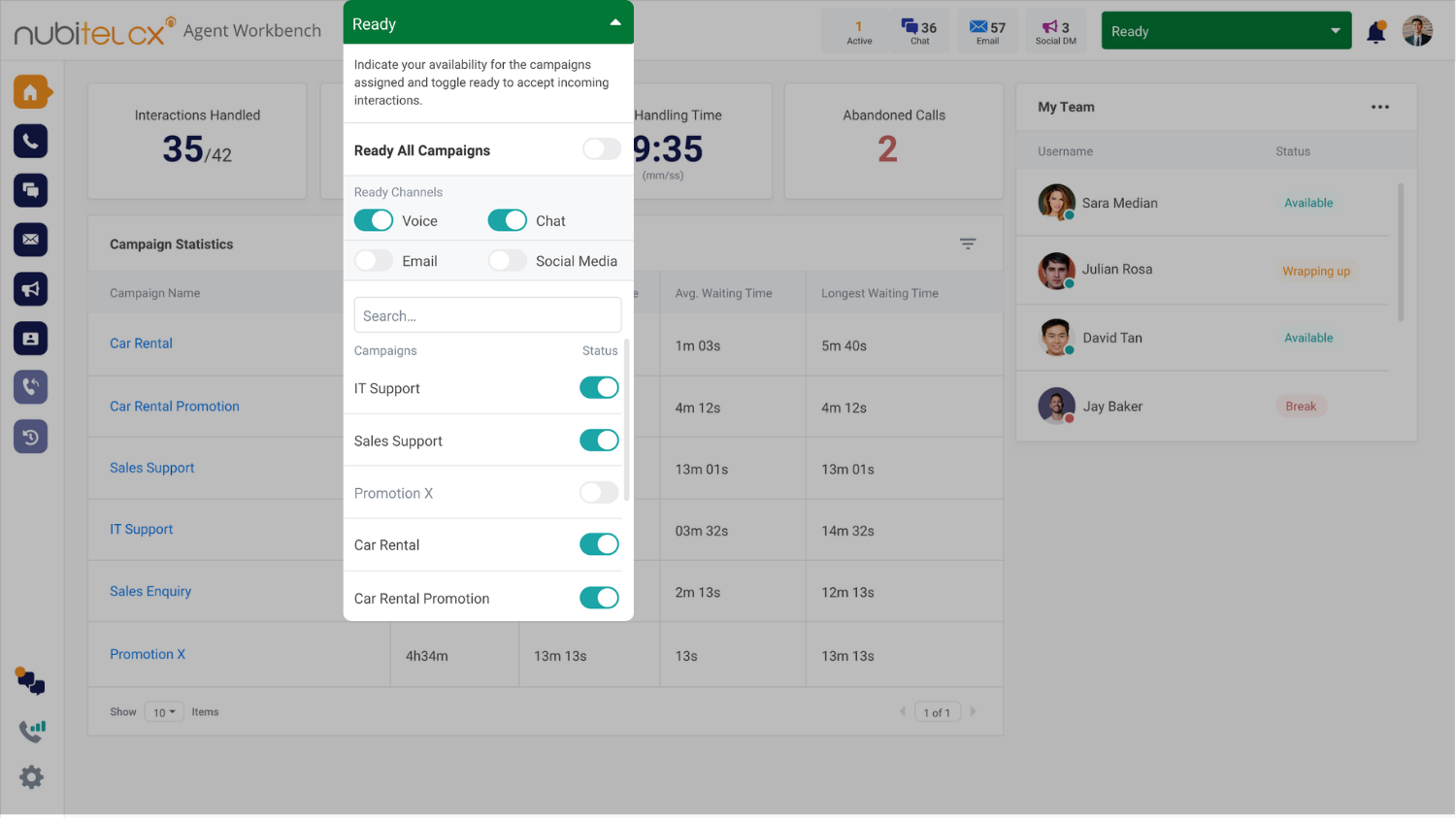 |
Move between interactions without switching platformsAccess call, chat, email, and social DM queues directly from the top navigation bar. Agents can quickly view key interaction details, including channel, contact information, campaign and interaction duration, before opening the conversation. | 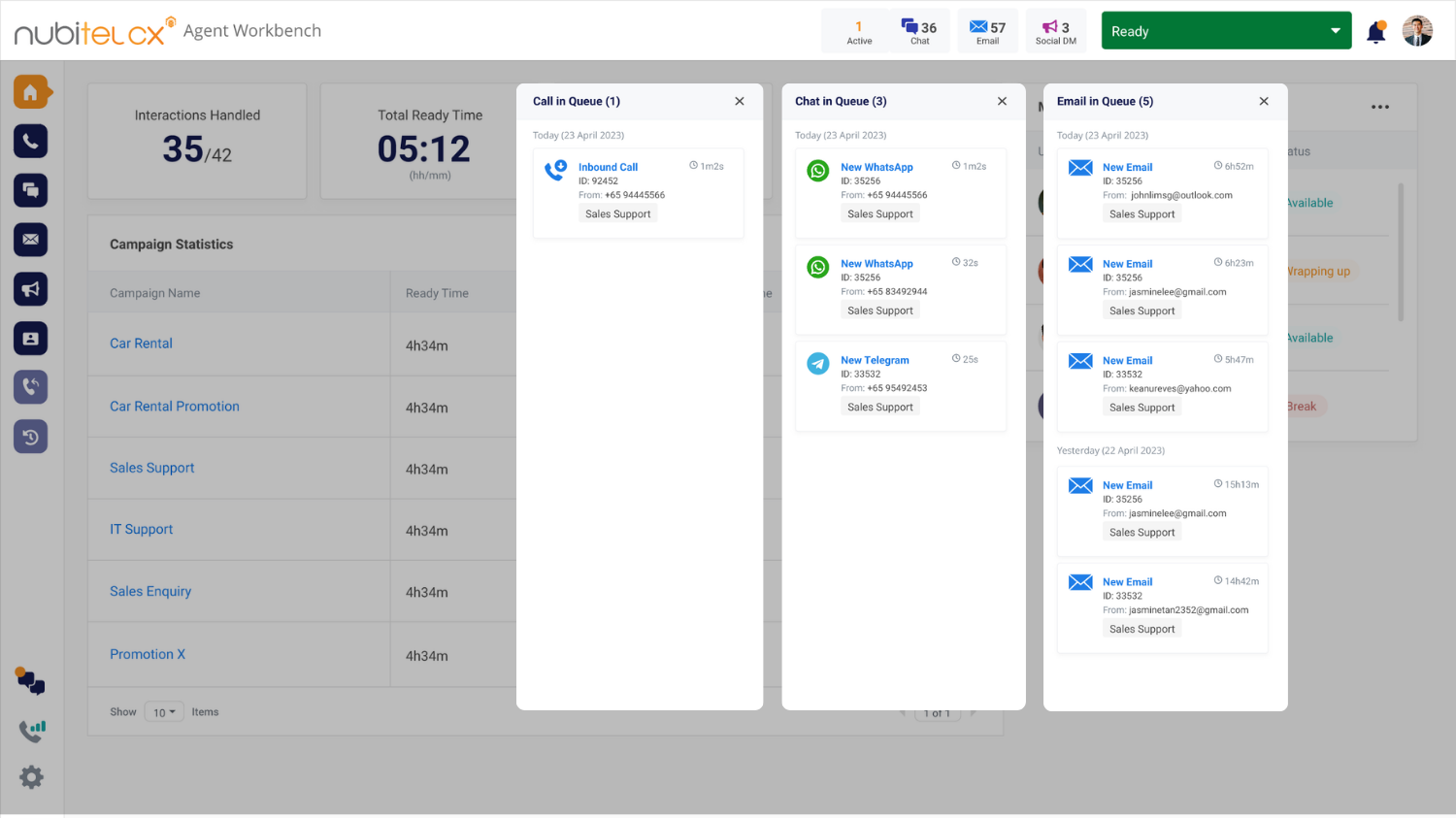 |
Keep customer context within reachAccess interaction history, transcripts, recordings, summaries and other available conversation details from the workspace, giving agents the context they need to handle current and follow-up interactions more effectively. | 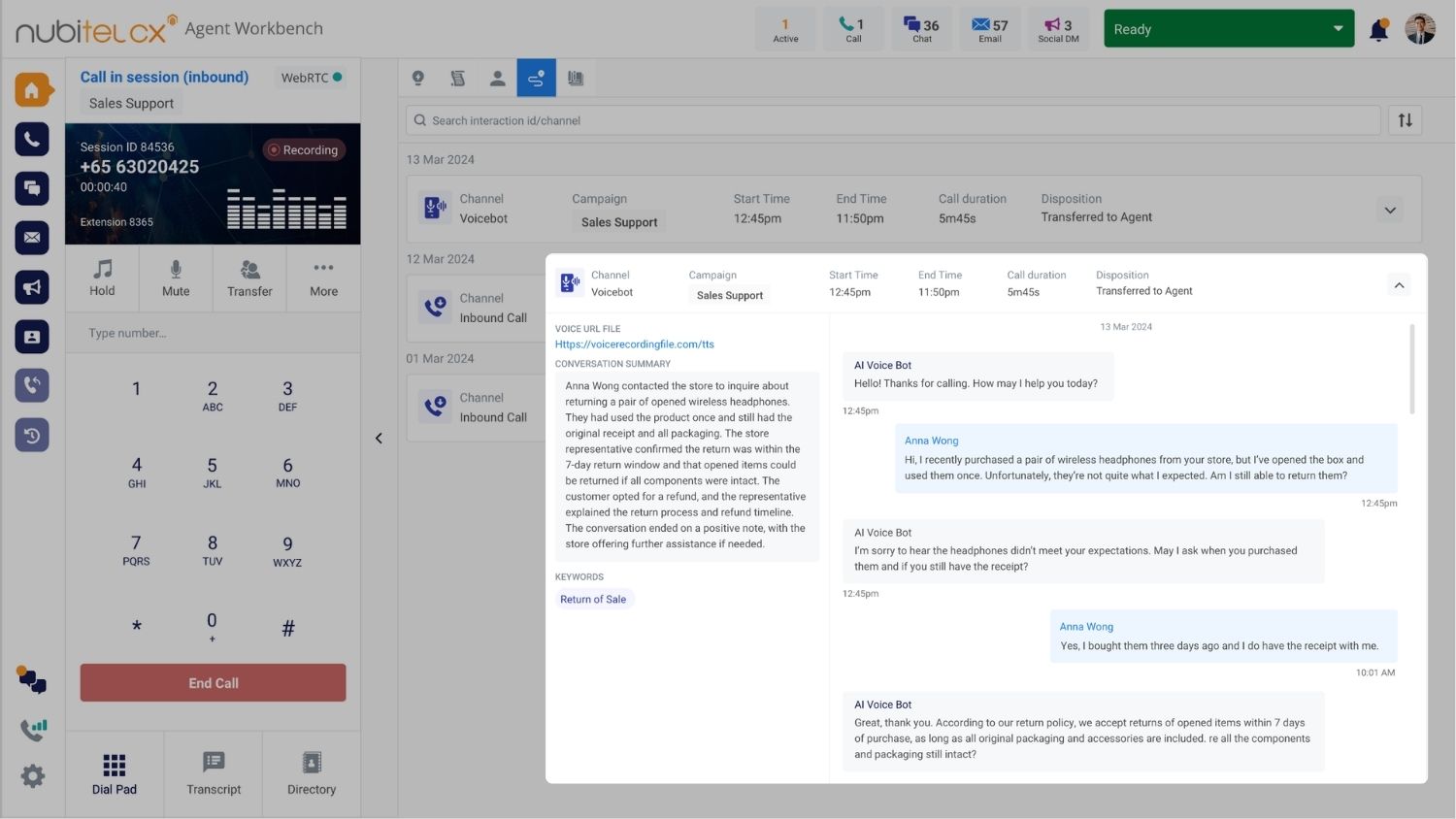 |
Get real-time AI assistance without leaving the conversationNubitel AI Agent Assist works alongside agents during live interactions, providing knowledge, recommendations, and contextual guidance without requiring them to switch screens or search for information manually. Help agents spend less time looking for answers and more time engaging customers. | 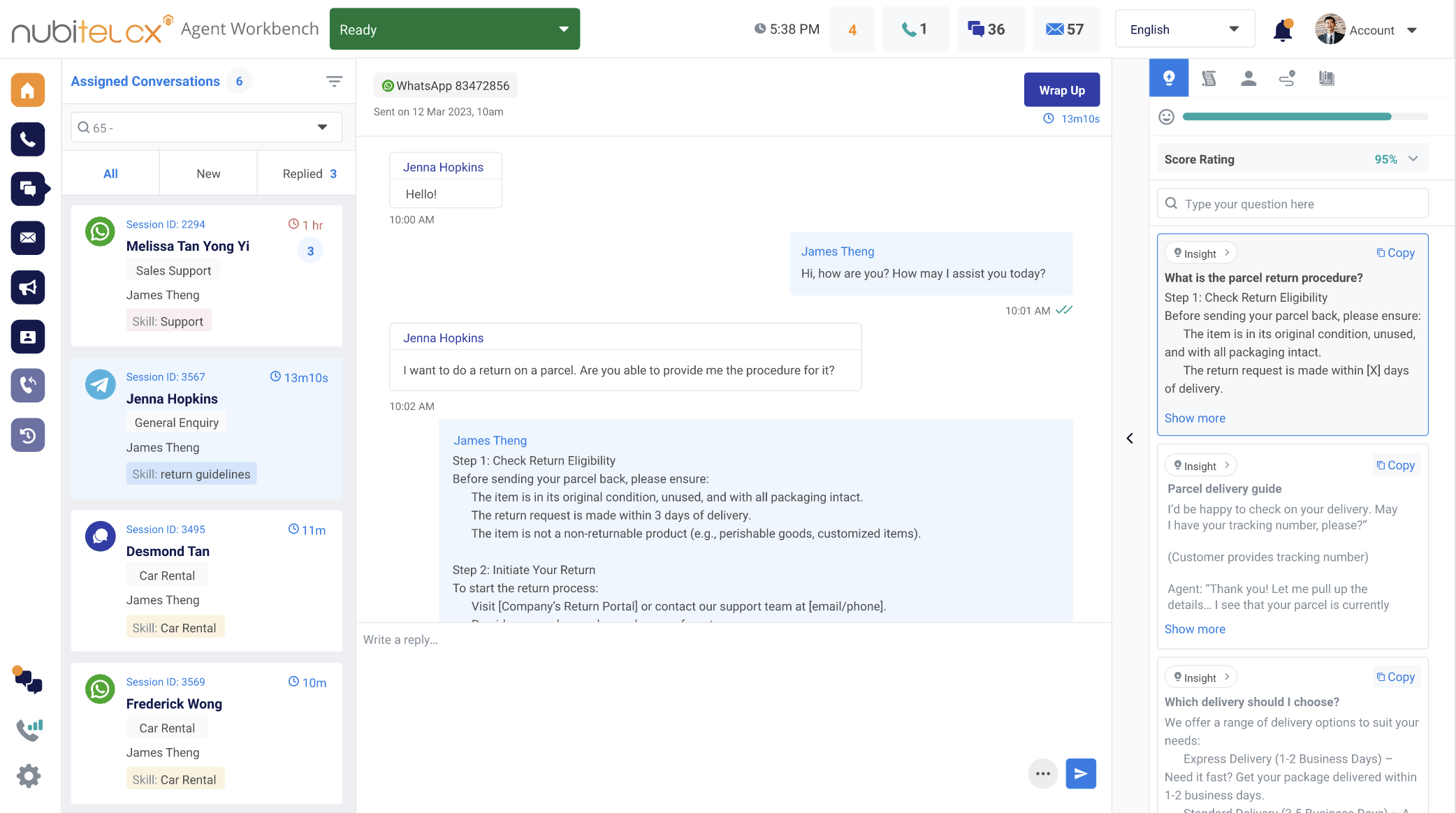 |
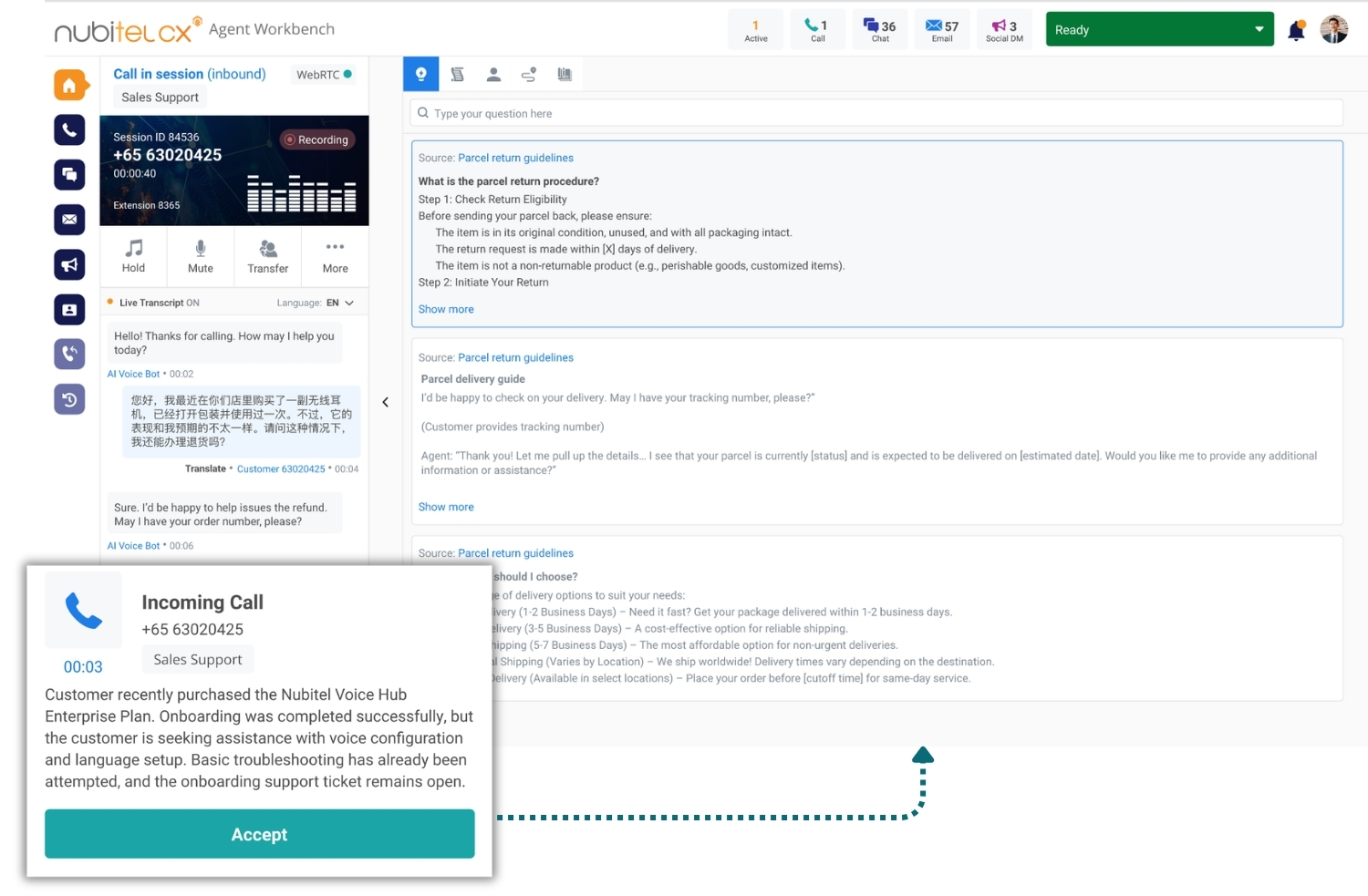
Handle voice interactions with real-time supportConnect with customers directly through the browser using WebRTC and Nubitel CTI. When a call arrives, agents instantly see the caller’s number, campaign details, and a GenAI-generated summary of previous interactions. During the call, they can access live transcription, AI-powered assistance, interaction history, and real-time connectivity information - all in one place.
|  |
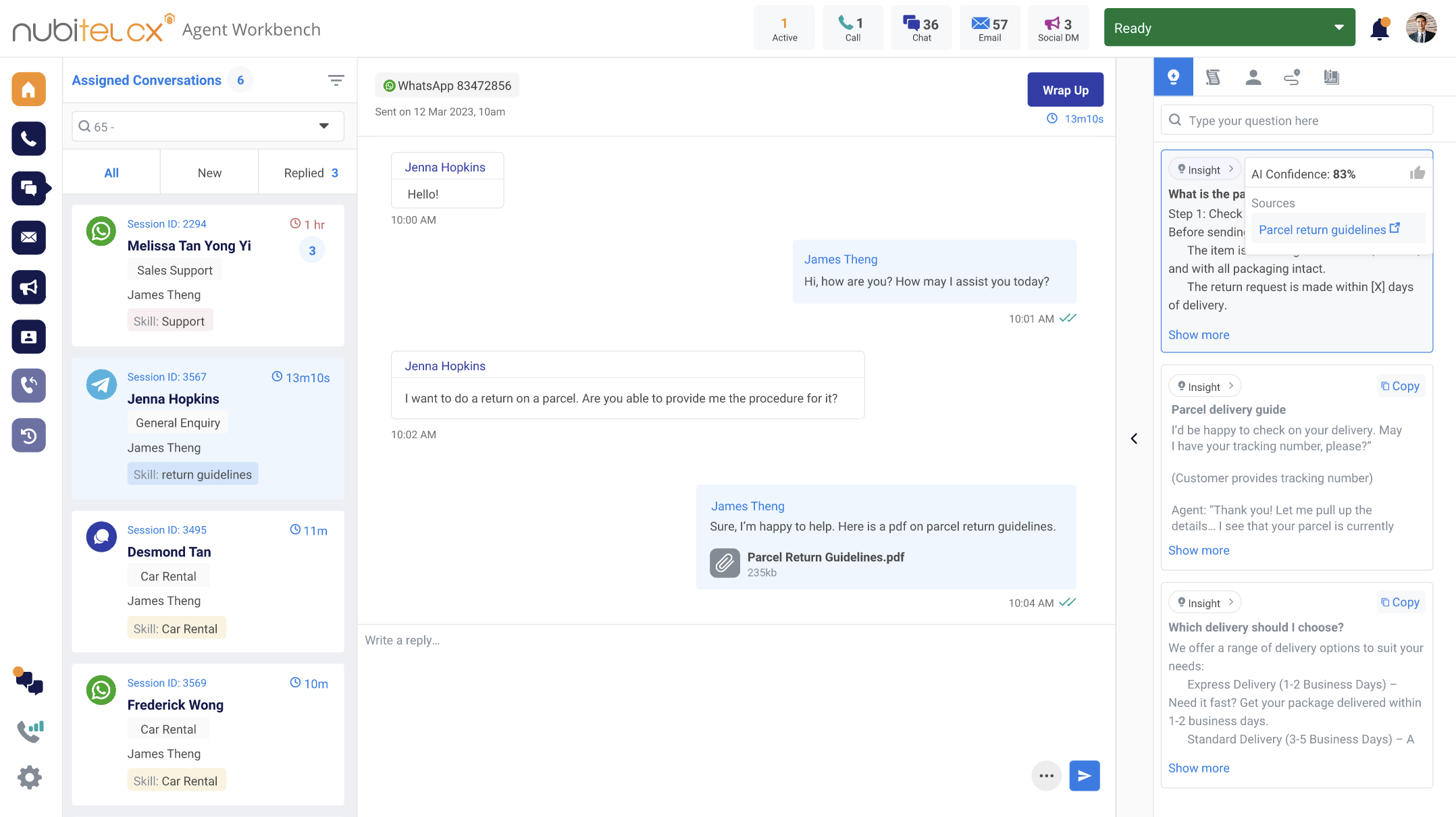
Bring digital conversations into one workspaceManage conversations across WhatsApp, Facebook Messenger, Instagram, LINE, Zalo, Telegram, Live Chat, etc., from a unified agent environment.
|  |
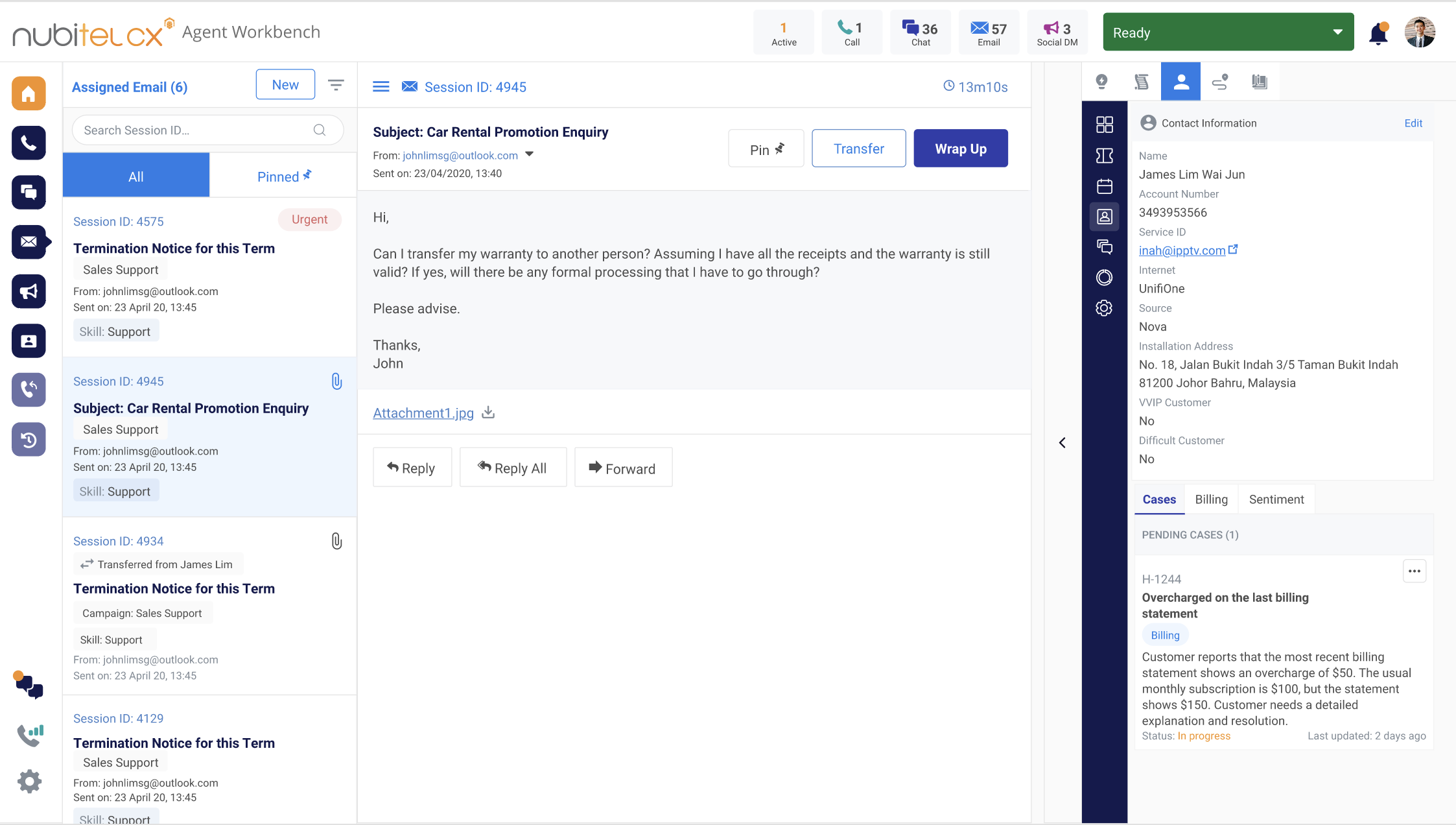
Prioritize, route, and resolve emails fasterTurn incoming emails into organized, actionable work by automatically capturing, categorizing and prioritizing requests, then routing them based on agent skills, language, priority and availability. With Nubidesk integration, agents can create and manage cases while viewing relevant customer and case information alongside the email.
|  |
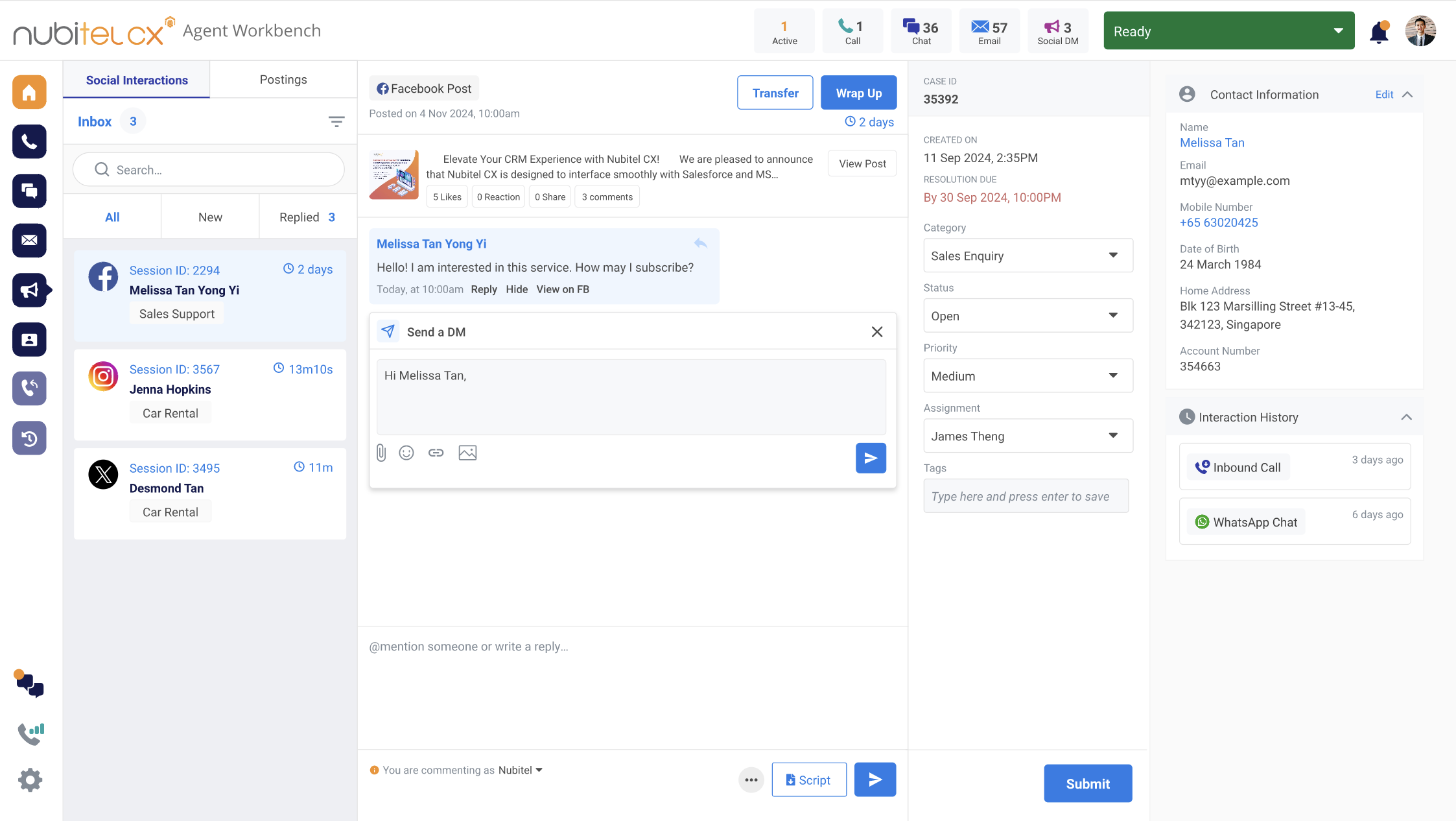
Turn social interactions into meaningful customer conversationsMonitor and manage customer interactions across social channels, from replying to comments and sending direct messages to scheduling posts and managing customer cases - all within the agent workflow.
|  |
Escalate to secure, real-time video support when neededWhen a conversation requires visual assistance, agents can share a secure WebRTC video-call link through WhatsApp, chat, email, etc. Customers can join from a smart device without additional software or complicated setup. | 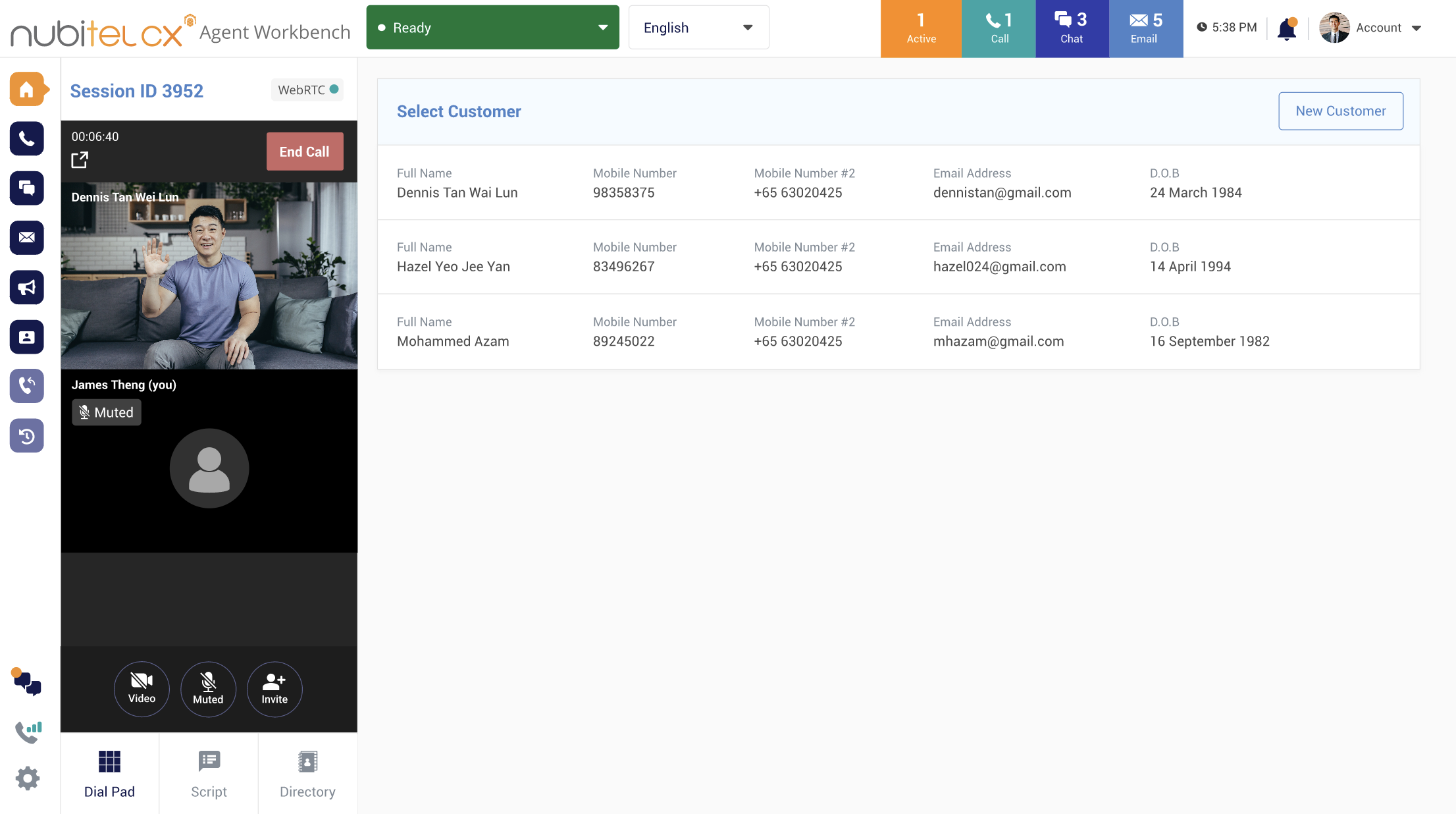 |
Reach customers directly when follow-up mattersInitiate outbound calls and messages directly from the Agent Workbench by entering a customer number and selecting the country code, without switching tools. | 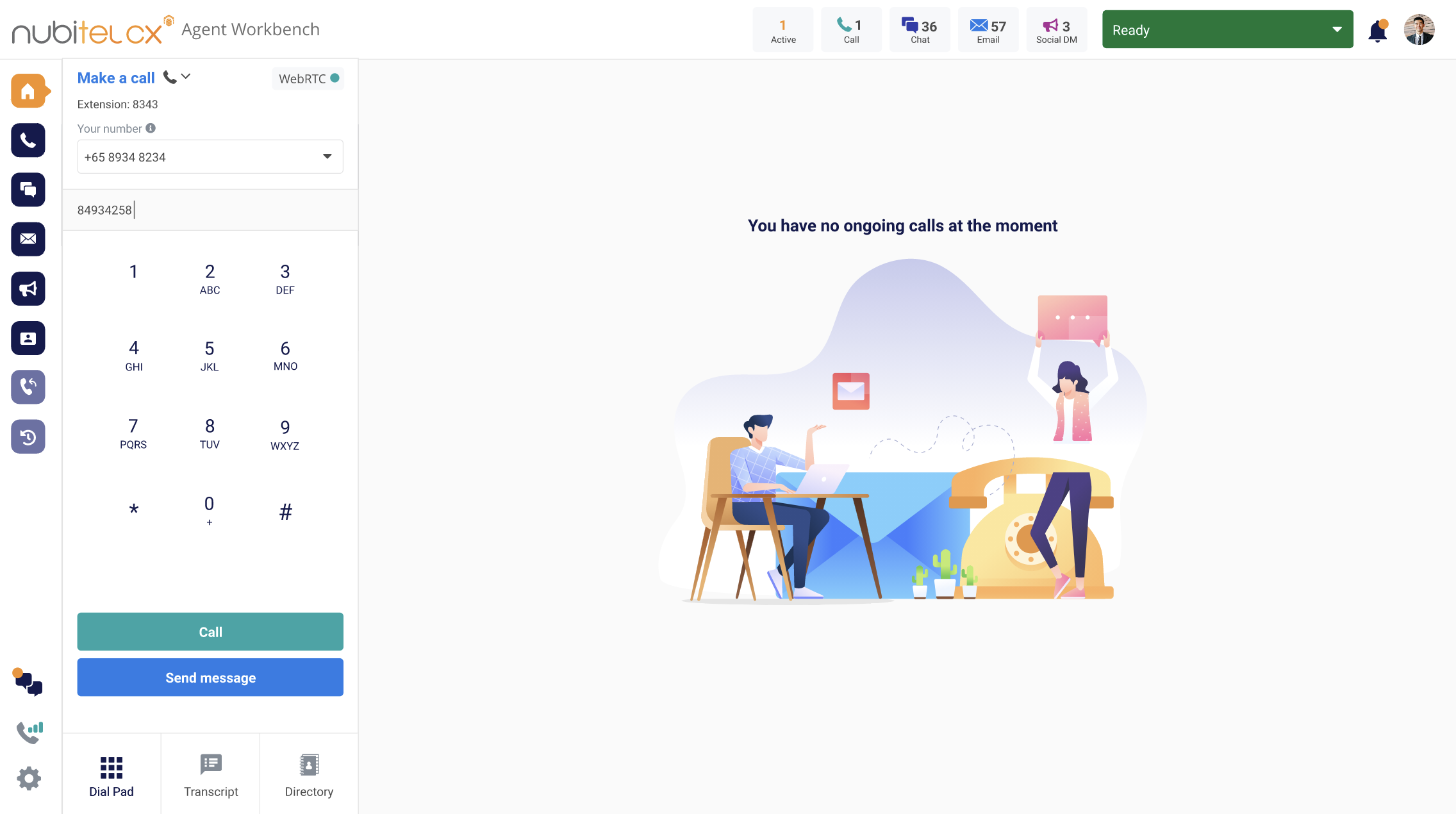 |
Engage multiple customers with targeted WhatsApp campaignsSend WhatsApp messages to multiple customer numbers through a campaign-based workflow. Automatically apply the appropriate message template and personalize custom fields to deliver consistent, relevant outreach at scale. | 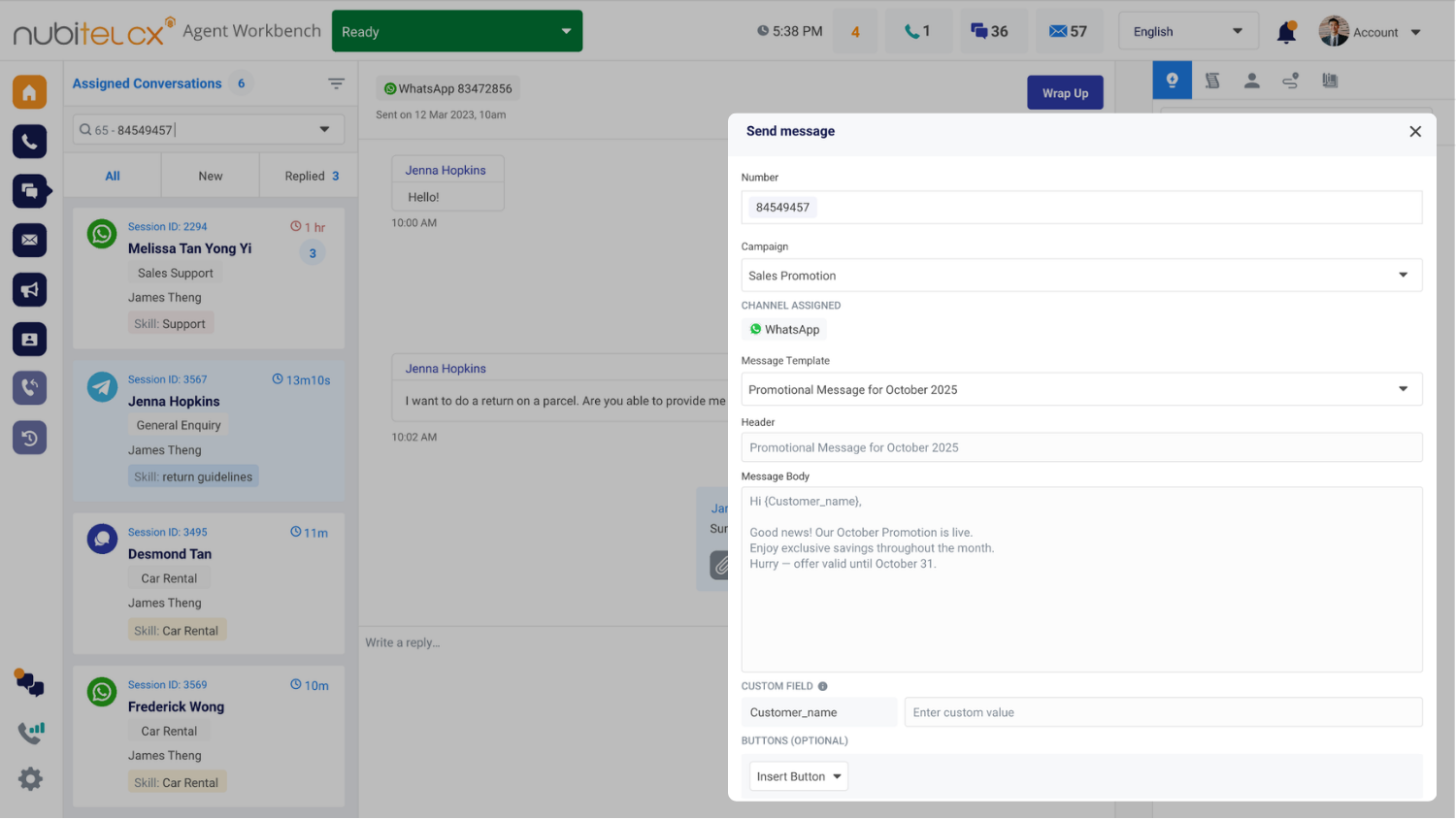 |
Keep customer callbacks organized and on trackManage customer callbacks from within the Agent Workbench so agents can follow up on conversations that require another contact. Keep callback tasks connected to the customer interaction rather than relying on separate follow-up processes. | 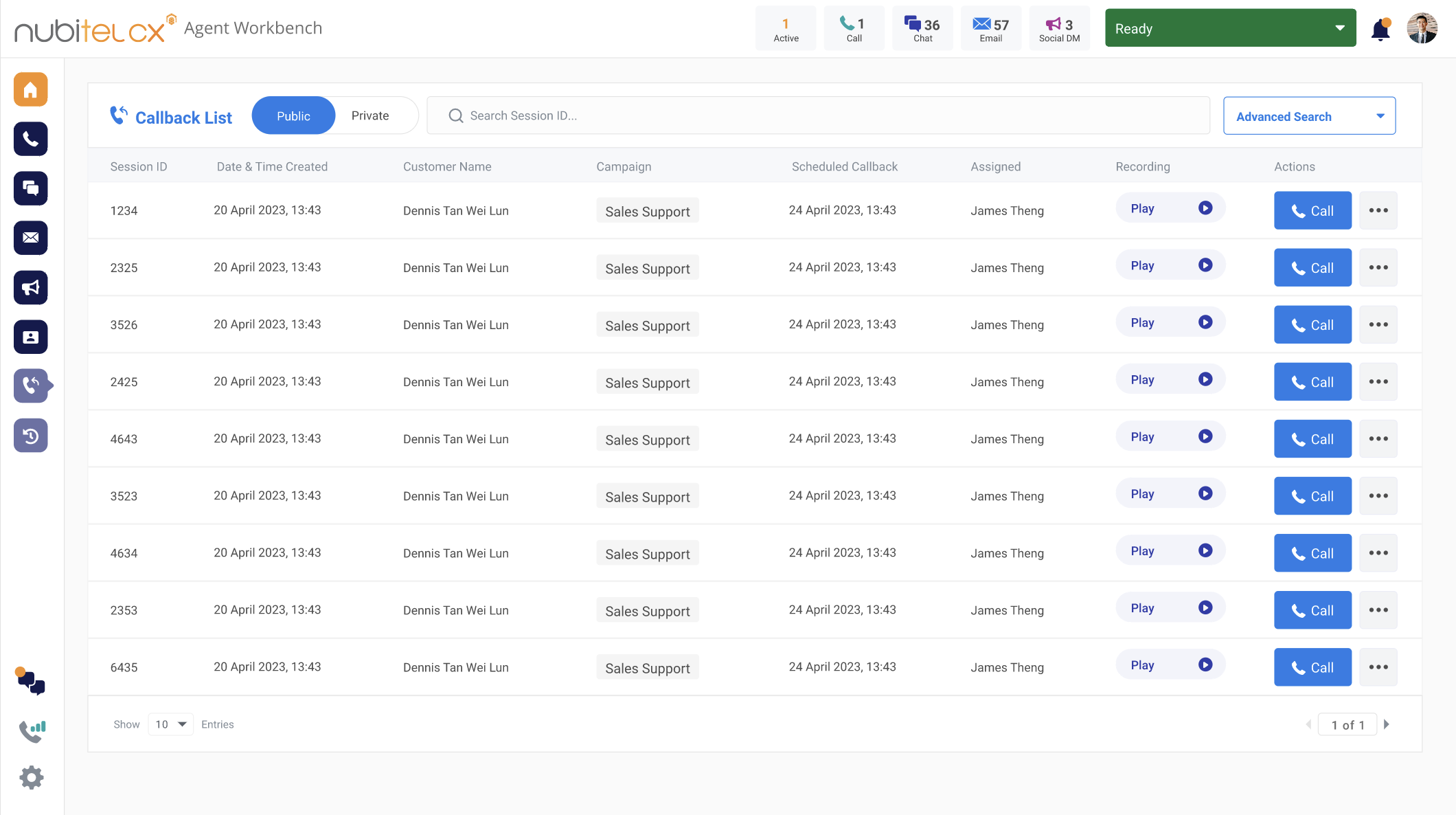 |
Get the complete customer interaction history at a glanceView interactions across channels in one place, with access to expanded details like transcripts, voice recordings, and conversation summaries. Give agents the context they need to understand past conversations and deliver more consistent, informed support. | 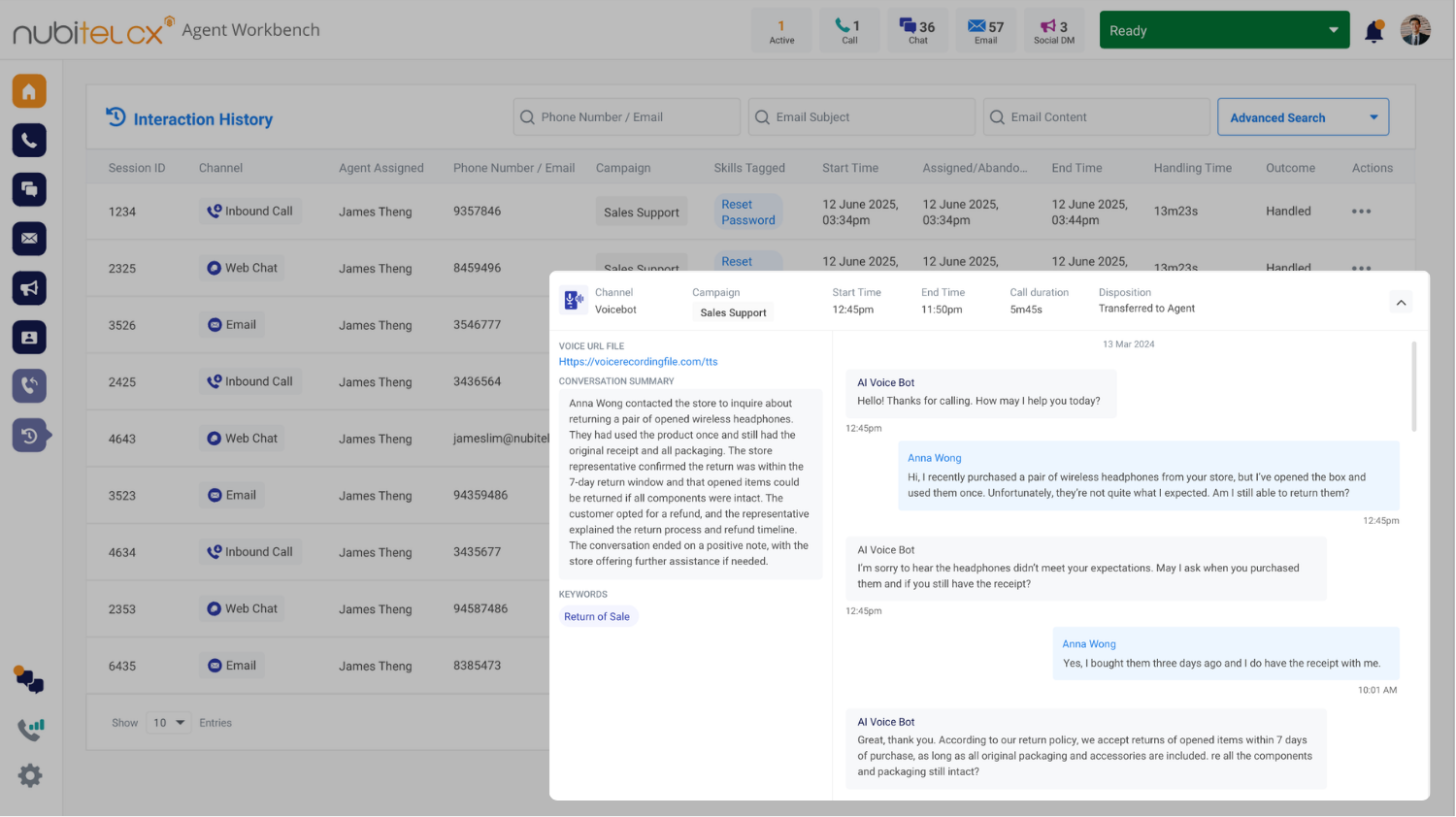 |
Get accurate answers without putting customers on holdAccess relevant, context-aware information from your own enterprise knowledge while the conversation is happening, helping agents answer questions faster and with greater confidence. | 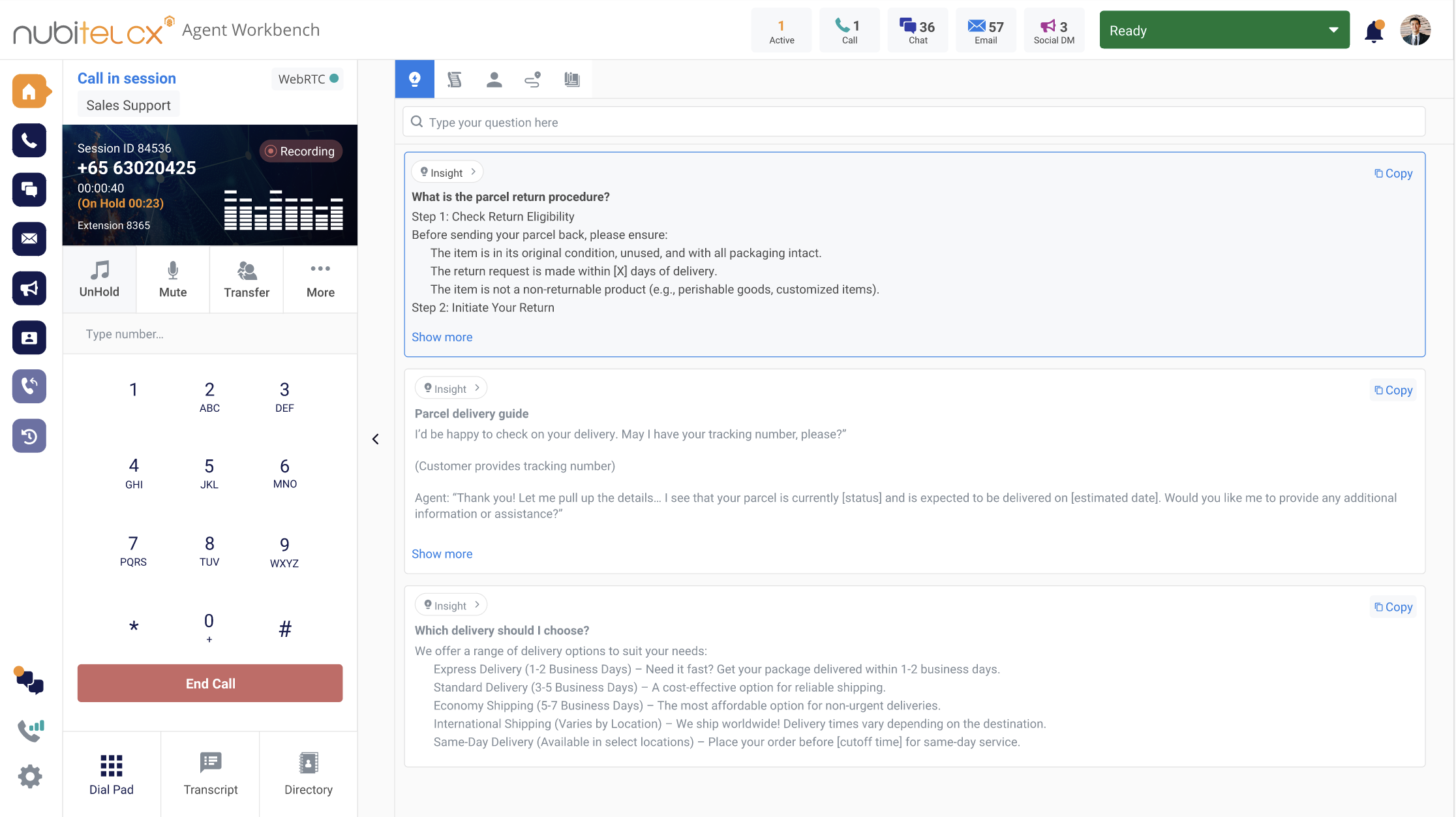 |
Adapt to how your customers are feelingReal-time customer sentiment insights help agents recognize how customers are responding and adjust their tone or approach when the conversation changes. | 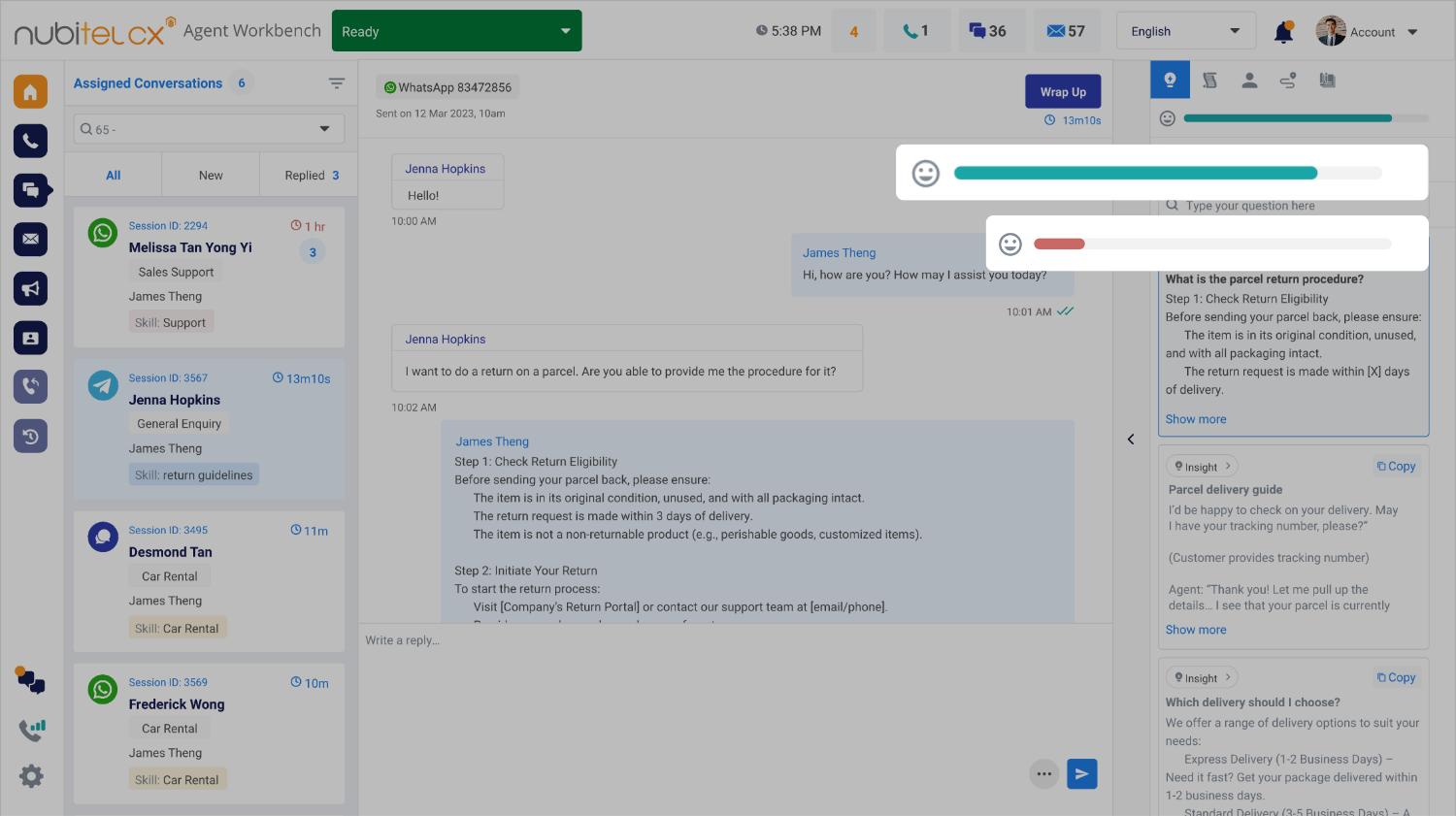 |
Keep conversations aligned with your organization's requirementsStay on track with required scripts and disclosures, receive guidance on compliant responses, and identify language that may not meet your business's established requirements. | 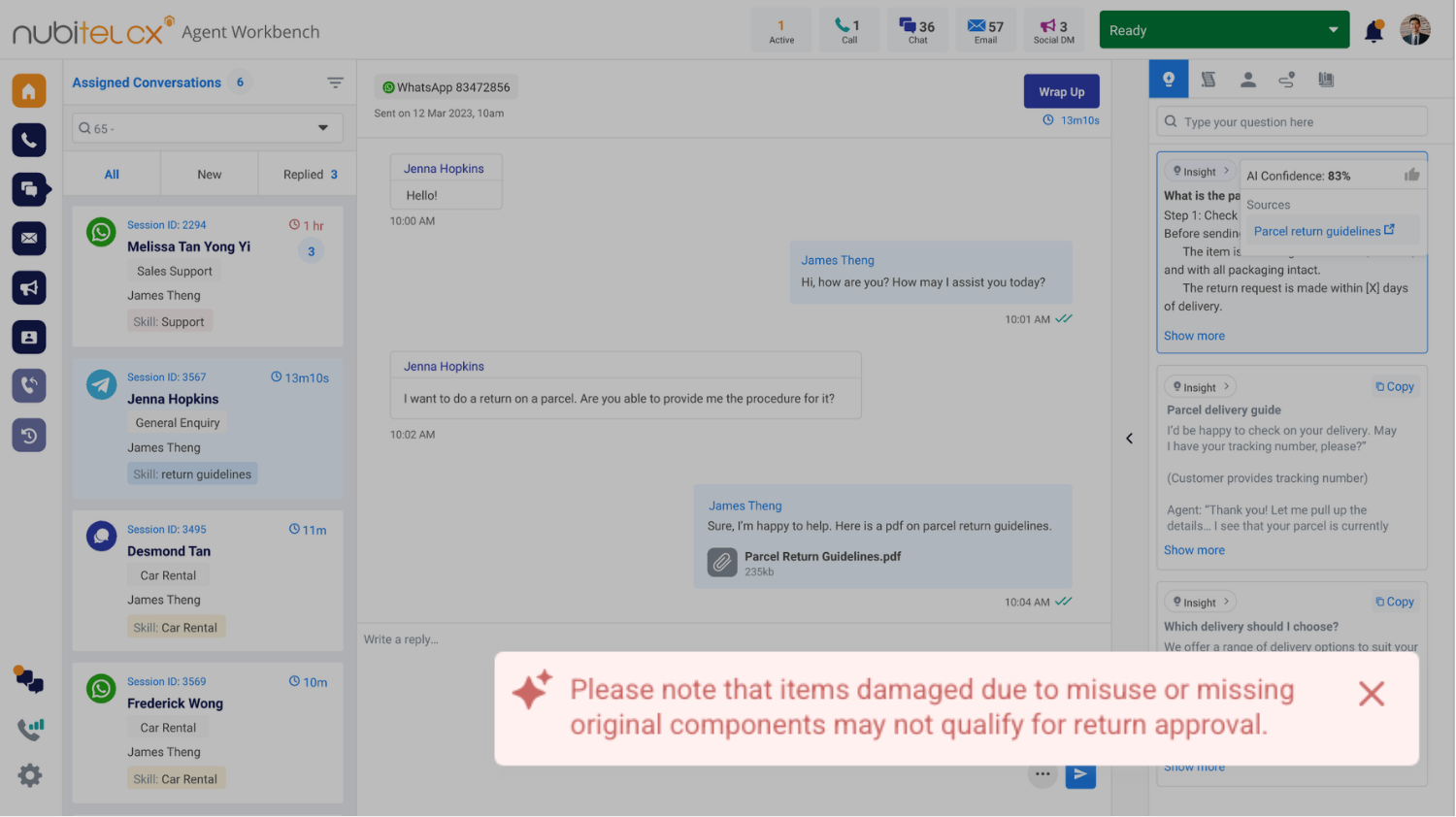 |
Move conversations toward resolution fasterGet relevant recommendations based on the customer’s intent, sentiment, issue, product, and urgency, helping agents determine the right next step and resolve issues more efficiently. | 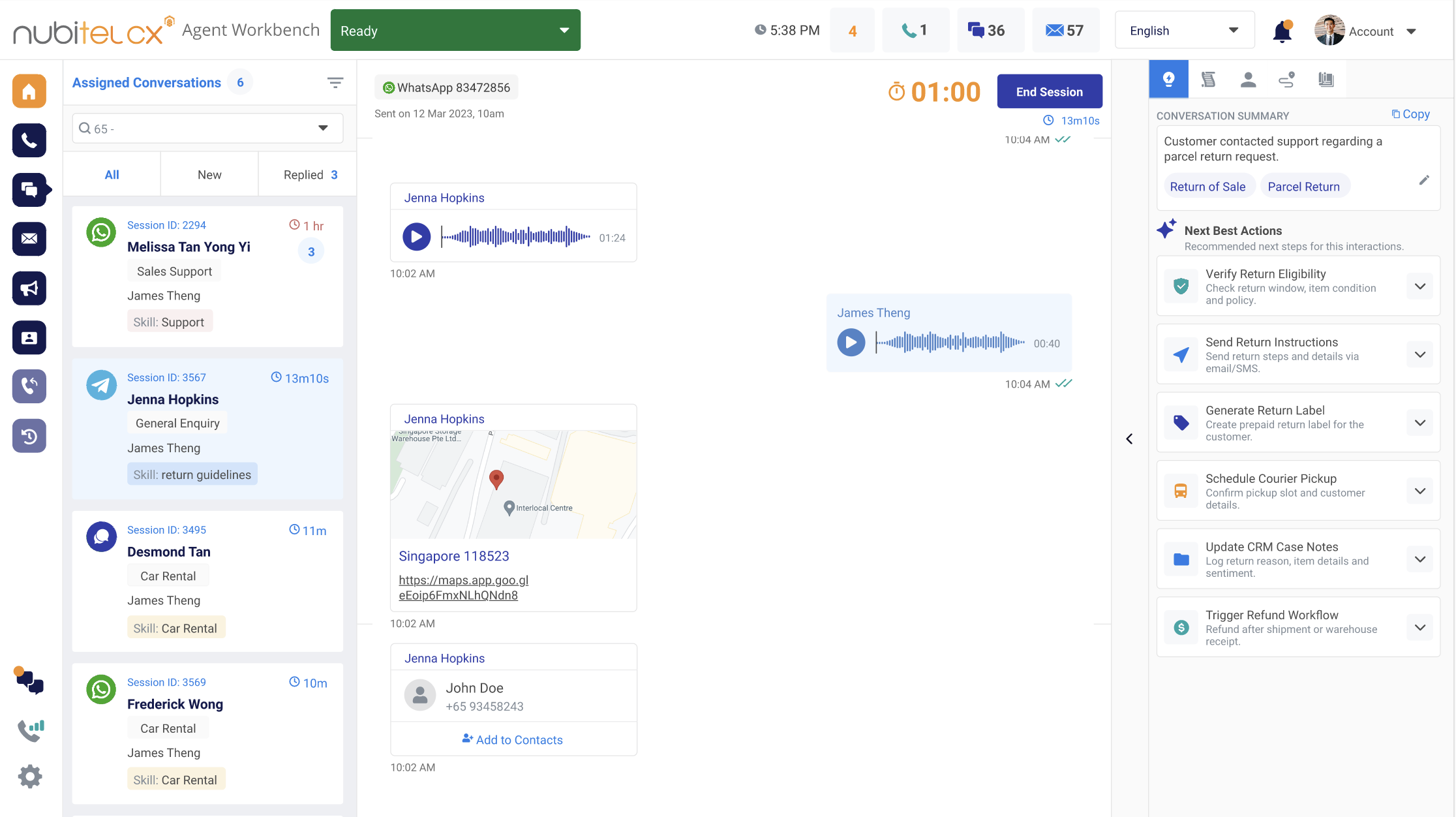 |
Keep social interactions organized in one placeBring all interactions from Facebook, Instagram, X and other supported social channels into a centralized inbox. Agents can view incoming interactions, identify customers, and manage conversations with campaign and case context at hand. | 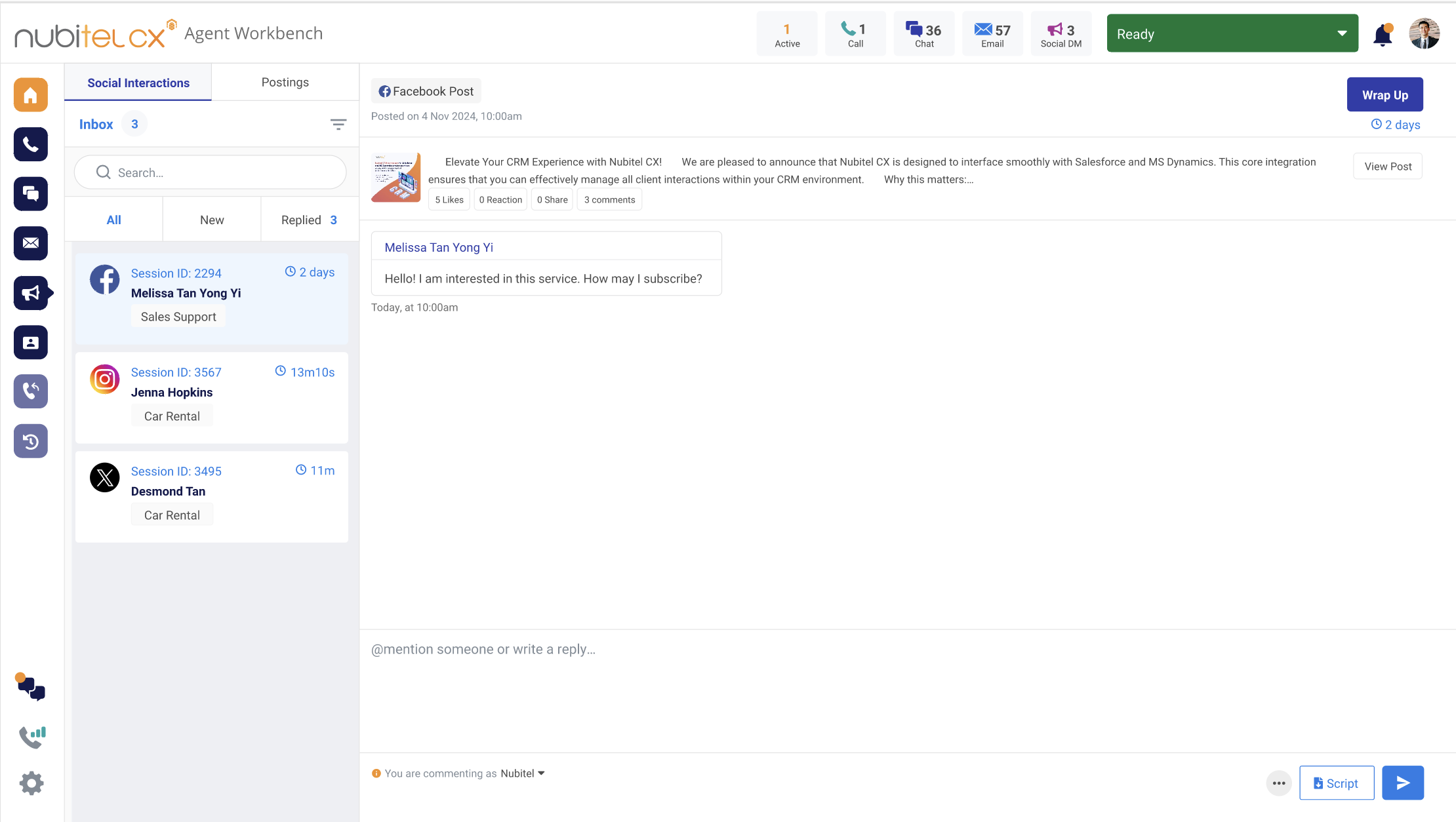 |
Take customer conversations from response to resolutionReply to comments, continue conversations through direct messages, and create/ manage customer cases without leaving the social engagement workflow. Agents can access customer information, interaction history, and case details to provide relevant responses and follow issues through to resolution. | 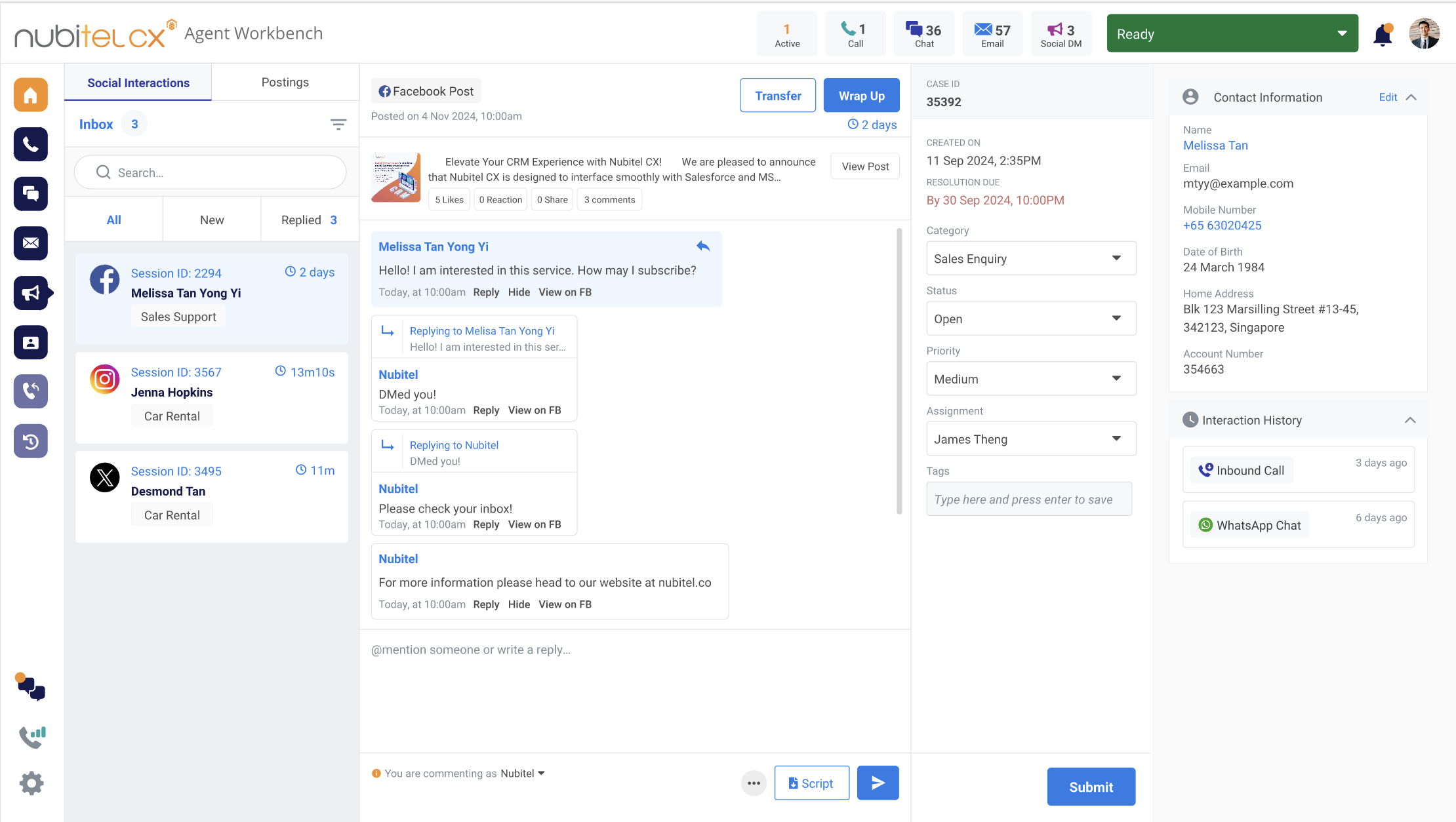 |
Create and schedule social content with easeCreate, schedule, and manage social posts from one place, helping teams plan upcoming communications and maintain consistent engagement across supported social channels. | 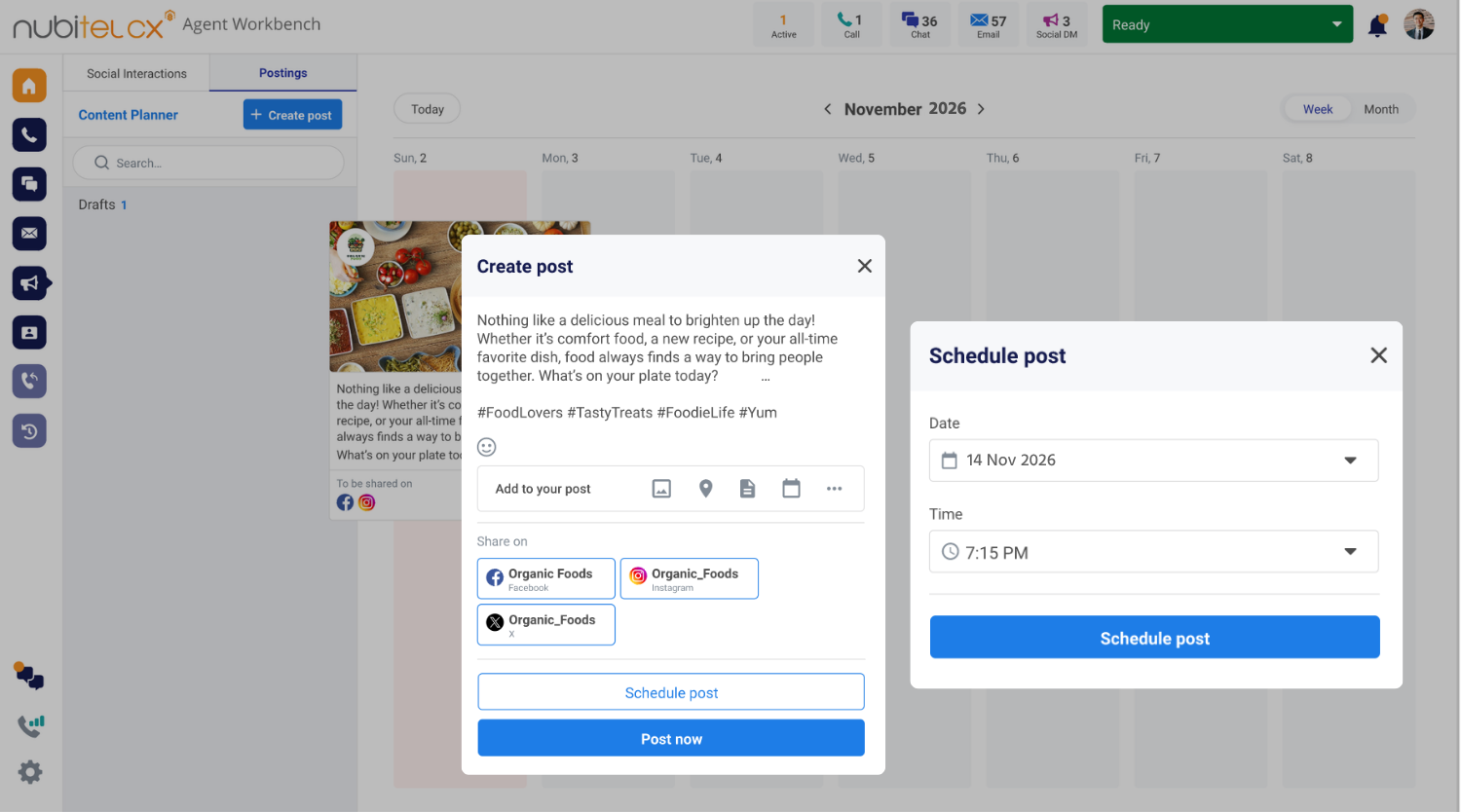 |
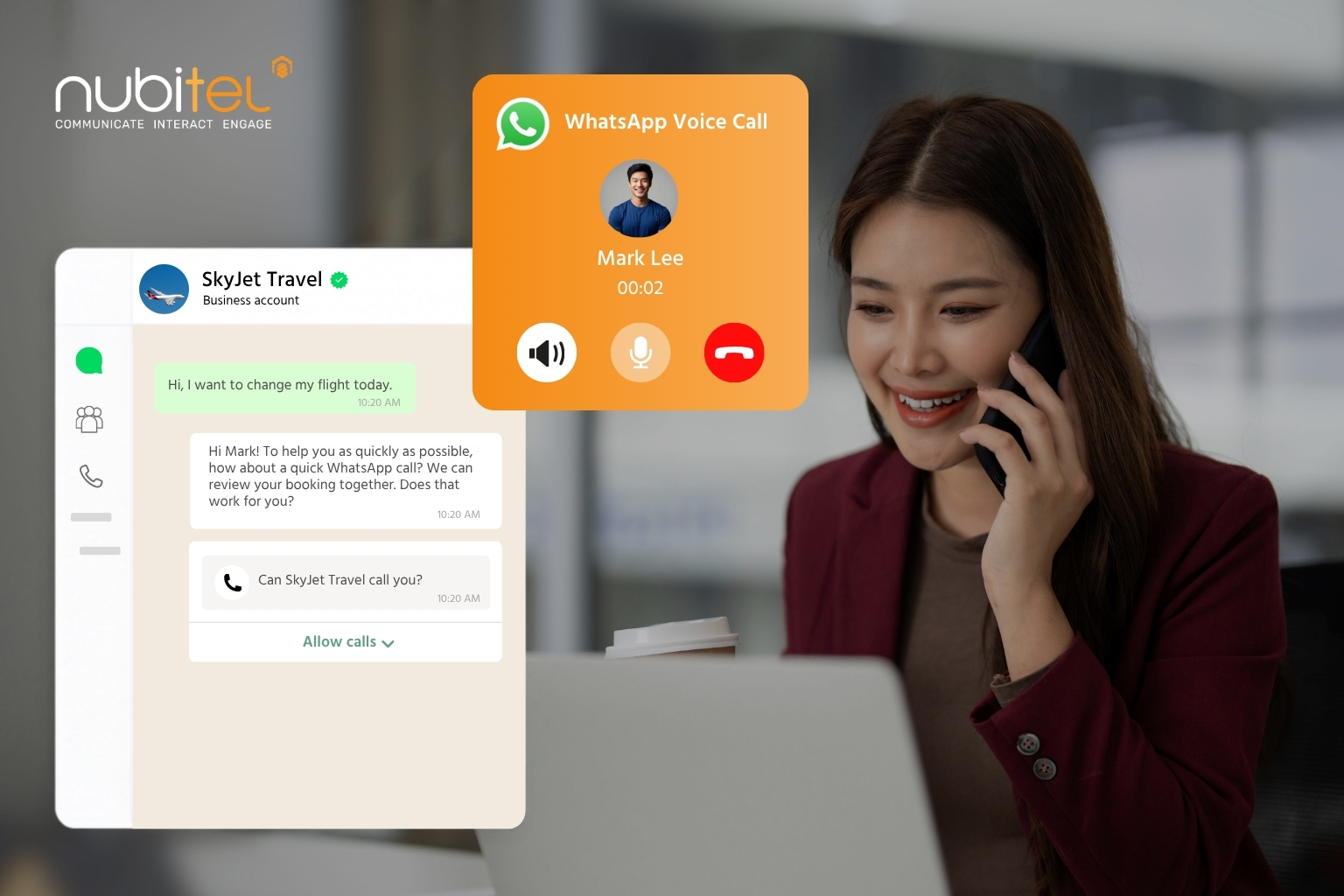
WhatsApp Business Calling API for Contact Centers: The Ultimate Business Guide
WhatsApp Business Calling API for Contact Centers: The Ultimate Business Guide The...

Human-AI Collaboration in Customer Service: The Future of AI-Powered CX
The conversation around AI in customer service is often framed as a...
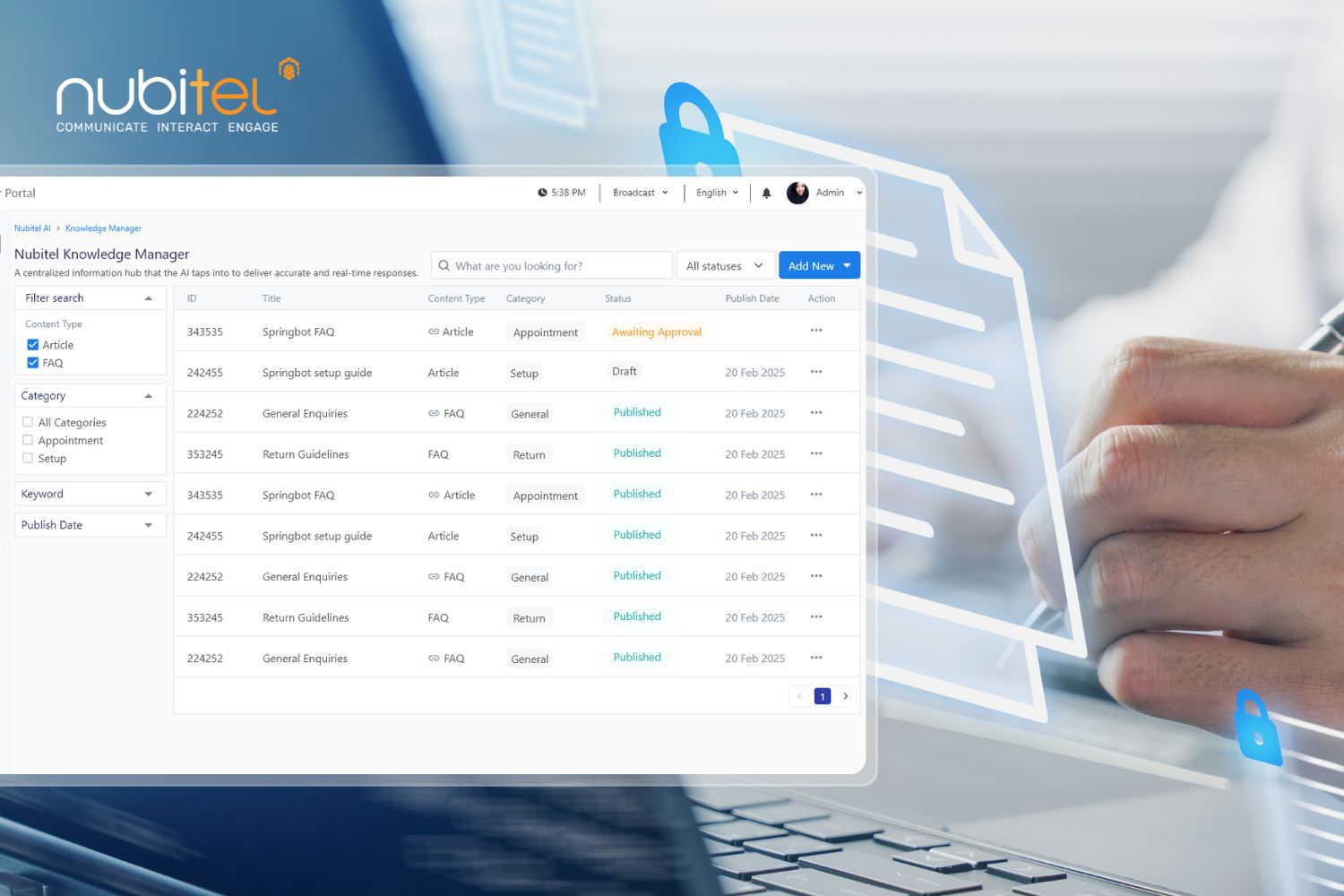
A Complete Guide to AI-powered Knowledge Management for Customer Service Teams
In customer service, delivering a good experience depends heavily on how quickly...

How AI Elevates Contact Center Agent Experience
How AI Elevates Contact Center Agent Experience Three in four contact center...